
 Twitter
 Instagram
 LinkedIn
 Github
 Strava
 Facebook
Je bent altijd één plugin verwijderd van je ideale WordPress-setup.
Alles
 Seb vindt een foto van Calum Ryan leuk.
Ik doe dit dus al jaren: ook al tweet ik niet veel, elke tweet staat ook op mijn eigen site. Het archief downloaden is de eerste stap, maar een eigen domein de belangrijkste. Kan eng klinken maar ook jij kan er gewoon een registreren.
 Seb heeft The Midnight Library van Matt Haig gelezen.
Ik zie veel zoveel-jaar-geledens vandaag, dus ik dacht ik doe ook mee: vandaag is het 16 jaar geleden dat ik een weblog lanceerde op Seblog.nl en aangezien ik toen 16 was ben heb ik vanaf vandaag langer wel een weblog dan niet.
Seb vindt A Visit to the Bloesempark van Henrique Dias leuk.De maan schijnt recht mijn kamer in, ik heb hem nog nooit zo vol gezien, zo veel licht. Ergens bang om nu een wolf te worden maar vooralsnog voel ik me prima.
Faster copy to clipboard in Vim
tl;dr: I just mapped Y to "+y and I am very pleased with it.
A coworker saw me copying some text out of Vim and humored me: everything seemed to happen like magic in my editor, but for a simple thing as copy and paste I needed a lot of keys.
It is true: in order to copy text within Vim, you can use the y command, combined with the motion of what you want to yank. So: yiw will yank inside a word, ggyG will go to the top of the file and then yank until the bottom (so, the whole file), yy will yank a full line. But these yanks are only pastable (with p) within Vim itself.
In order to get text out of Vim, you need to use a special register. Registers are a sort of named boxes, letters a to z, in which you can put snippets of text. To use it, you prefix your yank (or delete) with a quote: "ayi( will select register a and then yank the text within parentheses. To get to your system clipboard (the one all other programs use), you select the special register with "+.
Thus: my coworker saw me hunting for the "+y combination, probably. I almost always look at my keyboard when I do that, so awkward is the combination. But I just found a solution: Y.
nmap Y "+y
vmap Y "+y
By default, Y does a yy, which I never use, because it's inconsistent with other commands. D, for example is equivalent to d$, delete until the end of the line, same for C as c$. I guess it makes Y play along with V (line-wise visual select) and S (subsitute full line), but I always use yy anyway, so Y is free to use. When I now want to yank to my system clipboard, I just use Y instead of y and that's it.
You can also consider adding this as gy, which does not have a meaning, but g combines with various commands to activate variation of their meaning, so it's not a bad choice either. I mapped it to both and will see which one sticks.
 Seb heeft dit gebookmarkt. Seb heeft The cost of opinion van Dimitri Glazkov gebookmarkt.
Adding a prefix to TailwindCSS classes with VIM
Today we needed to add a TailwindCSS prefix to a small project we are building, to prevent clashes with other TailwindCSS classes on the same page. The setting in the tailwind.config.js was straightforward, we added this:
module.exports = {
  prefix: 'sf-',
... and now TailwindCSS will generate classes like .font-bold and .border-none as .sf-font-bold and .sf-border-none. Next up, we needed to replace all the classes in the project with their prefixed counterpart.
There were some plugins available to do this automagically in Webpack, but we decided we wanted to add them manually. A few of the classnames are dynamically set, and we doubted the plugins would find all those cases. Also: the plugins seemed to be old.
My co-worker started writing a regex for a search-and-replace, but soon stranded. You need to find the proper locations, and then within those locations, add the prefix. The prefix, however, is sometimes more of an infix, since there are other prefixes that are added before the prefix itself. See the class with md: for example:
<div className="bg-gray-100 px-4 md:px-0">
// Becomes:
<div className="sf-bg-gray-100 sf-px-4 md:sf-px-0">
While he worked on the regex and subsequently went to get coffee, I thought: I should be able to solve this in VIM in some way. I know I can make a visual selection and then type :! to get the selection as input into some shell command. If I pipe the lines to some script, I can then just split strings all I want.
One problem I ran into was that, if I make a visual selection within quotes (vi") and I then use the colon-exclamation to pipe it to some script (:'<,'>! php transform.php), I will receive the full line, as if I was using the line-wise V selection.
While searching the internet I thought: can I use a register here? And the internet had a solution for that. I ended up running the following command:
:vmap m "ay:call setreg('a', system('php transform.php', getreg('a')))<cr>gv"apThis sets up a mapping for visual mode, and binds the m to do a series of things. It first selects the 'a' register and yanks ("ay). Since we are already in visual mode here, y is a direct yank of that selection. We are now in normal mode, so we continue to type out a command that calls a function to set register 'a' again with the output of a system call to php transform, taking in the current contents of register 'a'. We execute this command by pressing enter (<cr>). Register 'a' now contains the scripts output. We then re-select the last visual selection (gv in normal mode) and then paste from register 'a' ("ap). This effectively runs the script over the visually selected area.
I then just opened the alphabetically first file of the project and manually made visual selections that selected all the classnames. For this, I also temporary mapped m to vi", so I could just do mm once my cursor was in a className="..." (for which mouse mode is nice too: click + mm, very fast). Then, to get to each next file, just press ]f.
The project was small enough to do this last part so manually, but this at least saved me a lot of stops in between all the classnames, and also saved me the headache to scan for md: prefixes and pick the right spot. Even when the classnames were actually in a backtick-string it was no problem: as long as I defined a correct visual selection, m would replace things.
For completeness, here is transform.php:
<?php

$input = file_get_contents('php://stdin');

$classes = array_filter(explode(' ', $input));

$classes = array_map(function ($class) {
    $parts = explode(':', $class);
    $parts[count($parts)-1] = 'sf-'.$parts[count($parts)-1];
    return implode(':', $parts);
}, $classes);

echo implode(' ', $classes);‘Flitsbezorgers’, want ze rijden te hard en door rood zodat jij het niet hoeft te doen. De haast en stress op straat uitbesteden. Verkeersonveiligheid as a Service. #boomertweet
Seb heeft dit gebookmarkt.Ik blijf hiervan schrikken... Een raar rommelend geluid, eigenlijk best wel dichtbij, ergens op je bureau zelfs. Zijn het je boxjes? Die staan uit. Komt het uit je monitor? Onwaarschijnlijk. Regent het ergens naar binnen? Geen raam hier. Zit er soms een beest binnen?
Nee, het is je externe harde schijf, zoals elke keer als je een backup maakt.
Seb vindt dit leuk.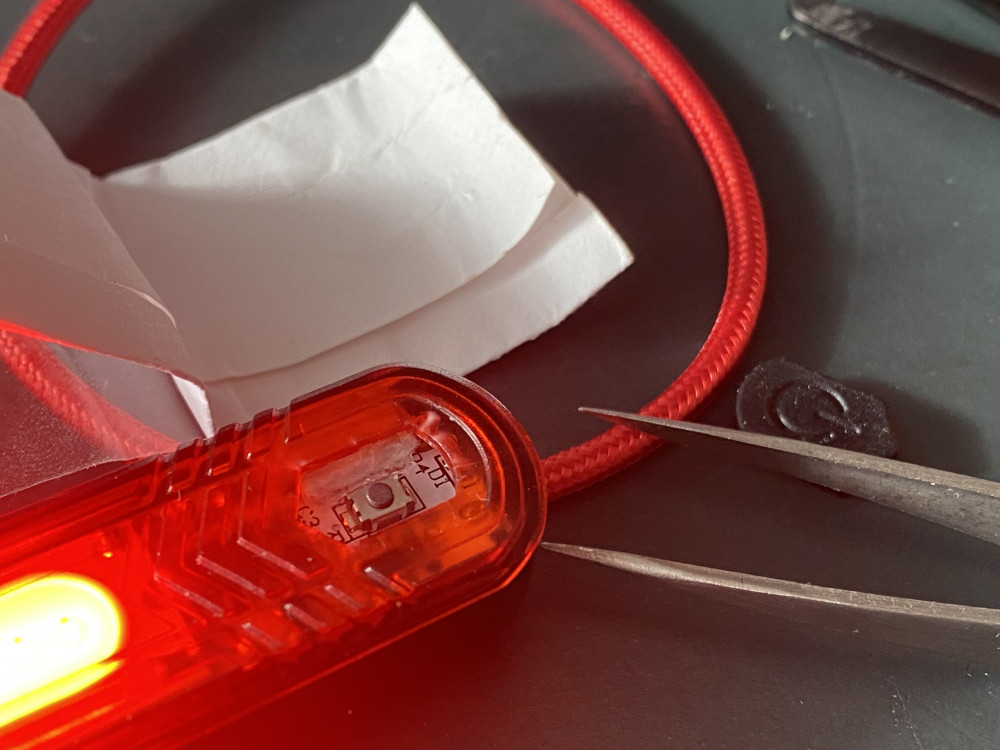
Fietslampje gerepareerd met een strategisch geplaatst propje papier.
Wanneer vinden we eens fietslichtjes uit die langer mee gaan dan een half jaar?
Seb vindt dit leuk.Zojuist ging opeens het licht uit. Dus ik denk: huis, wat is dit? Het ging namelijk met een kleine fade-out, niet direct, dus ik wist dat het niet aan de elektriciteit lag.
Toen bedacht ik me: ik had net even verbindingsproblemen op mijn iPhone, dus ik had wifi even uitgezet om te zorgen dat hij via 4G verbonden was.
En inderdaad, ik zet op mijn iPhone de wifi weer aan en direct gaat het licht aan. Welkom in 2022.
als antwoord op
Iemand vertelde dus eens dat die ‘een app’ had gemaakt die ze nu met een groep gebruikten. Ik dacht: jij, een app? Hoe? Dit bleek een Whatsappgroep te zijn.
Als jullie nou morgen allemaal naar Spiderman gaan, ga ik morgen eindelijk naar de kapper.